Logo Official

Apple Watch + iOS Widget

A more intuitive & functional interface for a frictionless home entry experience.


Background info

Slow interactions and ambiguous UI made the Apple Watch experience confusing. Implementation details made it occasionally non-functional. Improving the clarity of the interface made it clear & obvious how to operate your lock. We also changed the implementation so that it no longer needed to wait to get the status of the lock before you could operate it.

The result was a faster and more seamless experience that allowed users to enter their homes quickly. Support tickets went down, and positive App Store mentions went up.
Previous version

The original interface required the user to wait until the app communicated with the lock & retrieved the current lock status before they could unlock their door. If the status couldn’t be retrieved, user could not operate their door. There was also confusion around what the status symbols meant, since they weren't always self-evident.

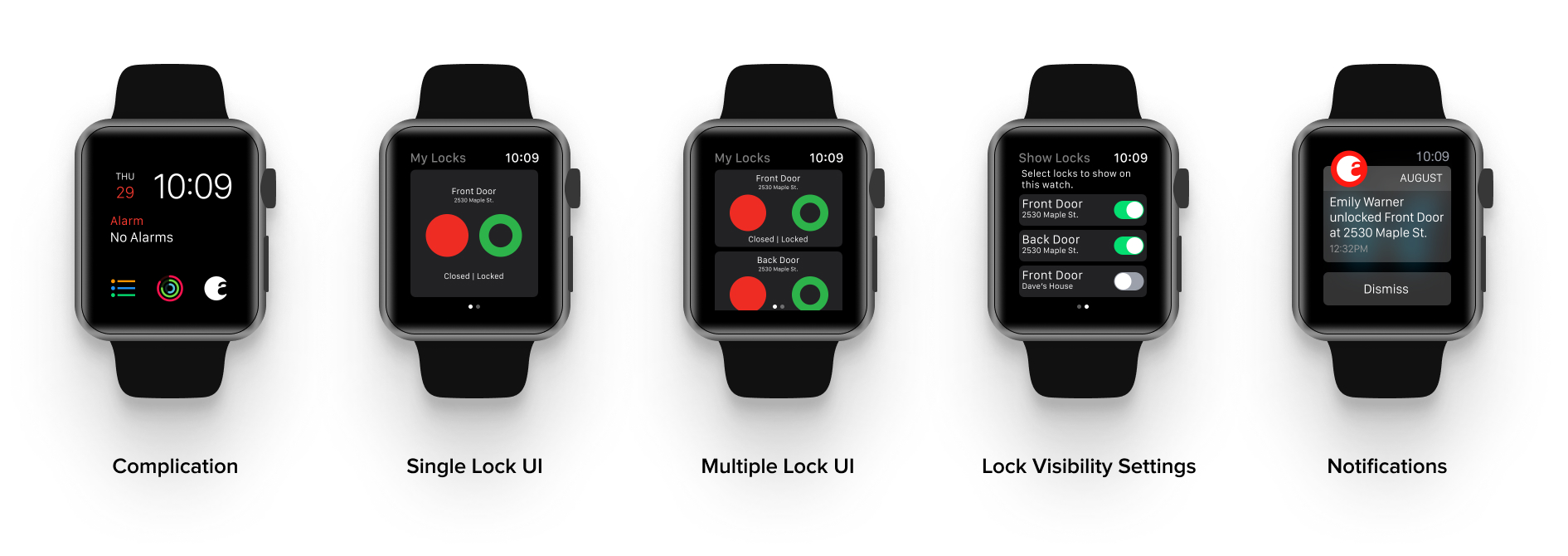
Updated version

The redesigned interface removed the need to wait for lock communication before unlocking the door, also removes the possibility of an error. The added text makes lock and door status much clearer, which is important for peace of mind.

iOS Widget

We updated the iOS widget using the same design language as the Apple Watch. Since widgets can be accessed with the phone locked, we added a security check to make sure the phone is unlocked before showing any lock controls.